Using Northbeams
Clear your daily decisions
Last updated 2026-07-10
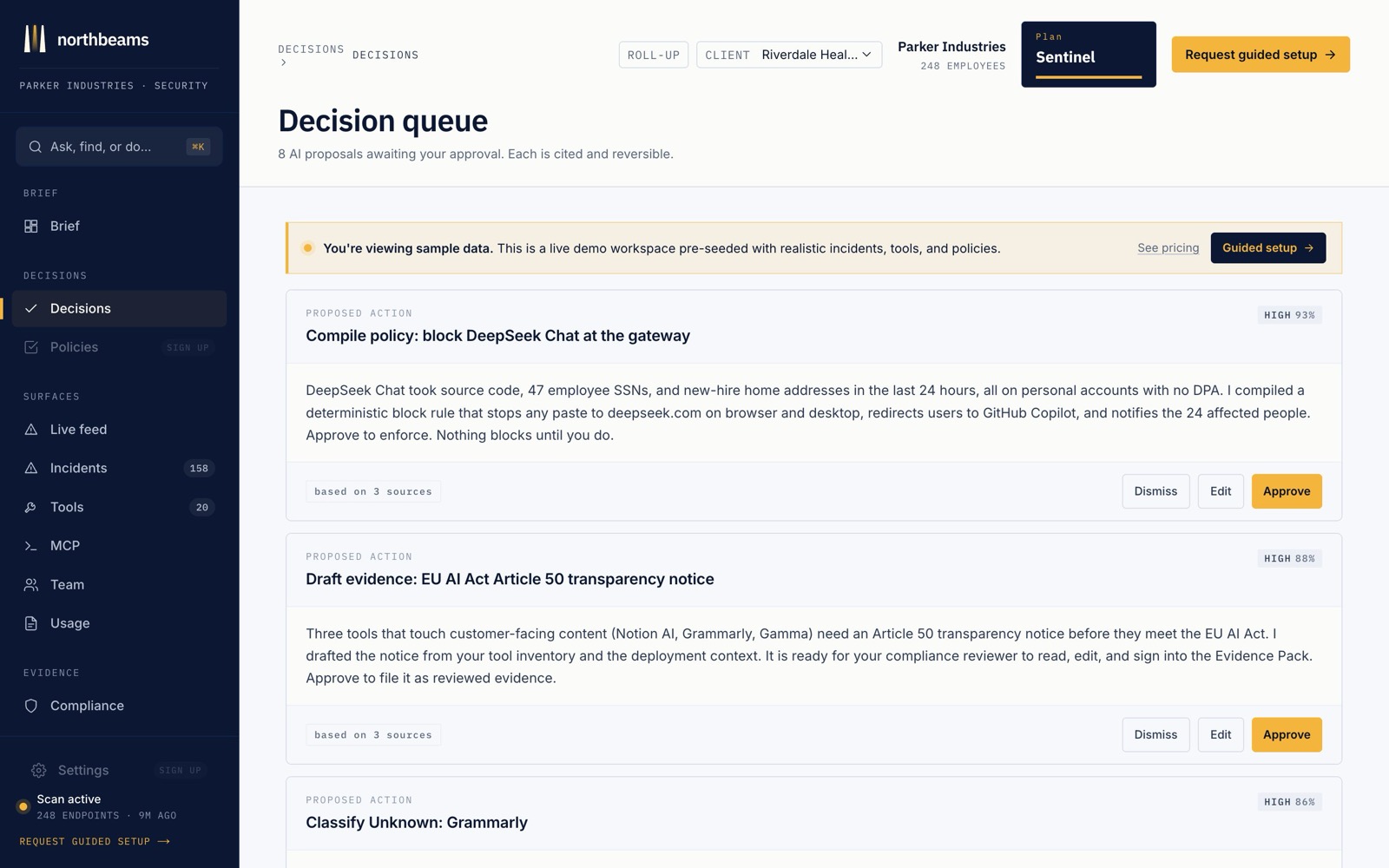
Most of what Northbeams sees, it handles on its own. The Decisions page surfaces the small number of calls that need a human: which newly-seen or risky tools to allow, warn on, or block.
How it works
- Each item is explained. You see why a tool was flagged (for example, "24 users, personal accounts, no DPA on file") and a recommended action.
- One click decides. Approve the recommendation or dismiss it. The decision updates your policies so the same thing is handled automatically next time.
- Decide from Slack. If you connect Slack, the same approve and dismiss buttons show up in your channel, so you can clear decisions without opening the dashboard.
The goal is a short daily list, not a firehose. Northbeams does the triage; you make the judgment calls.